Panel Network Setup
The C-morepanel can function as an FTP Server, an Email Client, and a Web Server (Secure HTTPs). These features are part of the touch panel standard operating system. To use these features, it helps to have basic knowledge of Internet protocol and connectivity.
-
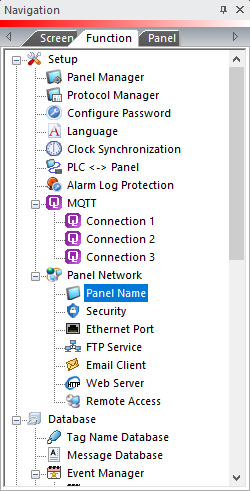
From the Navigation pane, select the Function tab.
-
Under Setup, double-click on Panel Name.
-
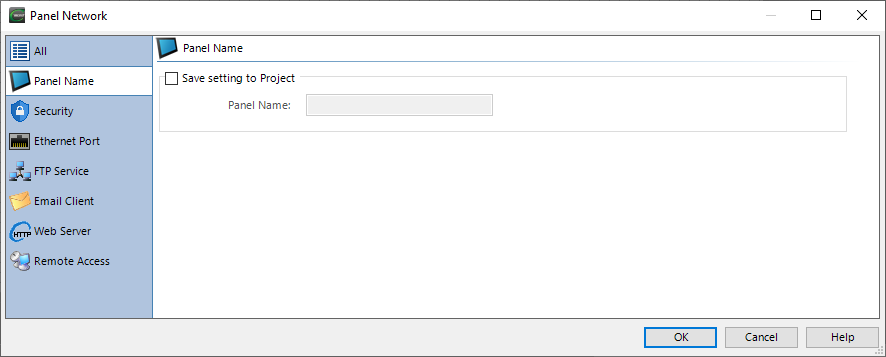
Use the Panel Network setup dialog box to configure the panel for networking features. Find setup details for each tab in the link on the Tab Details column.
| Panel Network Tabs | |
|---|---|
|
Tab |
Tab Details |
|
Security |
|
|
Ethernet Port and DNS |
|
|
FTP Service |
|
|
Email Client |
|
|
Web Server (Secure HTTPs) |
|
|
Time Server |
|
|
Remote Access |
|
| Note: | You can set up some of these features in the Panel System Setup Screens. If you save and transfer a project, any settings you enter with the Panel Network dialog box override previous settings. |
 Related Topics
CM431