Panel Network — Security
Use the Security tab to set a user name and password for each Ethernet port.
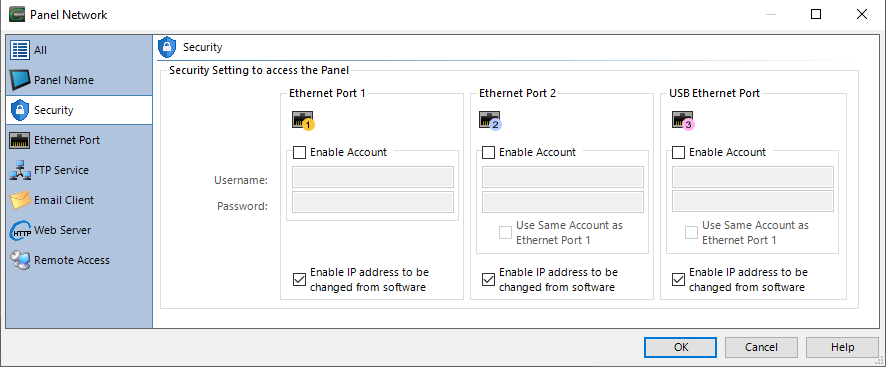
Enable Account
Users must enter the correct user name and password to use the panel over an Ethernet connection for the following:
-
Read Project from Panel
-
Change Panel IP Address or Name
-
Reboot
-
Reset Factory Defaults
-
Reset Web Server (Secure HTTPs) Contents
-
Update Firmware
User Name and Password Requirements
-
Maximum 64 characters
-
No minimum requirements
-
You may use upper- and lowercase alphanumeric, symbols, and space characters
Enable IP Address Change in Software
Edit the IP address and panel name through the associated Ethernet Browse Window or Panel Tab.
If you do not enable this feature, you cannot edit the IP address or the Panel Name over the associated Ethernet connection. You can still edit the IP address and panel name through a USB connection or from the Panel System Screen.
You cannot change the IP address over the Ethernet connection with the project in the panel.
Reset Factory Defaults or Clear Memory clears the project from the panel.
CM158