Communication Configuration
On the Navigation window Panel tab Communication Configuration at the bottom. Choose the PC/panel communication method.
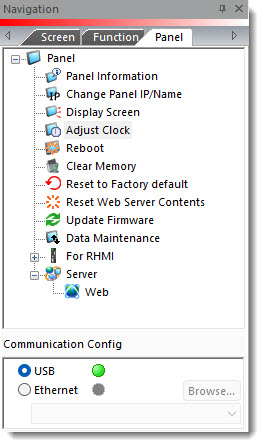
USB
You must connect the USB cable between the PC and the panel. Once the PC and the panel connect, the red indicator turns green.
Ethernet
There must be an Ethernet network connection between the PC and the panel. Once the PC and the panel connect, the red indicator turns green.
-
If necessary, click the down arrow
 to view a list of available panels on the network.
 -
Select the panel you want to use.
-
If the panel has bee connected, the panel IP Address is available in the drop-down
list. -
If the panel you want to use is not listed, click the Browse button to open the Ethernet Connection Setup window and find the panel.
To learn more about Browse, see Ethernet Connection Setup: PC to C-more panel
 Related Topics
CM083