Event Manager Database
The Event Manager Database continuously monitors panel conditions. When a condition is met, an associated action occurs. It provides a single place to create, view, and edit both events and their actions.
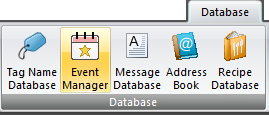
Select Event Manager from the Database menu in the top ribbon to open the Event Manager window.
Event Manager Window
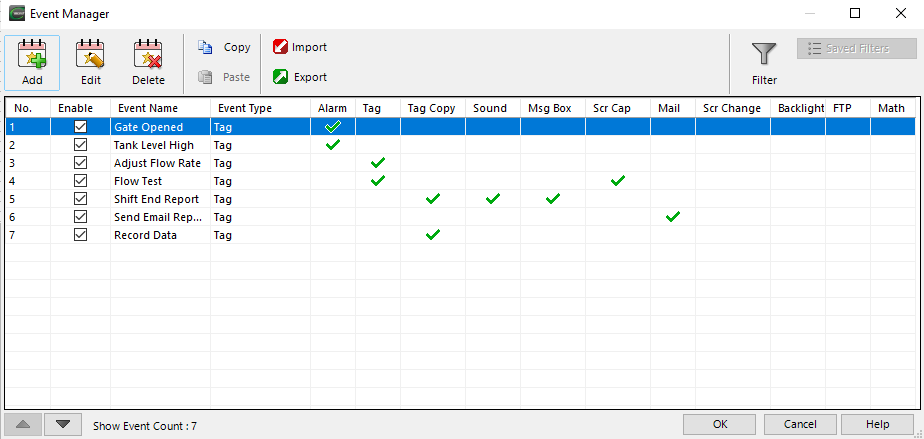
For any Event that you enter:
 A green check means at least one action of that type is configured and enabled for that event.
 A red check indicates all actions of that type are disabled for that event.
Event Triggers
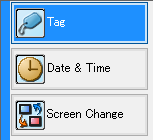
Event Trigger Condition Types
Conditional triggers for events are based on:
-
Tag state or tag value
-
Discrete type tags: trigger an action when a tag changes state
-
Numeric type tags: trigger an action based on a tag value condition
-
-
A single event at a specific Day & Time
-
Daily
-
Specific days of the week
-
Multiple times per day at a set interval during a time frame
-
-
When a set Screen opens or closes.
Actions
Execute up to 16 total Actions with a single Event. The following 11 actions are available to configure:

For similar events, you can copy and paste.
Copy
-
Select the event.
-
Select Copy
— or —
use the Copy button.
Paste
The paste button adds the copied event to the end of the Event Manager Database.
Change Event List Order
Use the up and down arrows at the bottom of the window to change the event list order.

Import/Export the Event Manager Database
 Related Topics
CM136