Event Manager Database — Import
Use Import Event Manager Database to import a previously exported Event Manager Database (.xls Excel®™ file).
Export the Event Manager Database with a few properly configured events and actions first, then modify the exported file and import it. This ensures correct formatting for a successful import.
-
From the main menu, click File, then select Import > Event Manager Database.
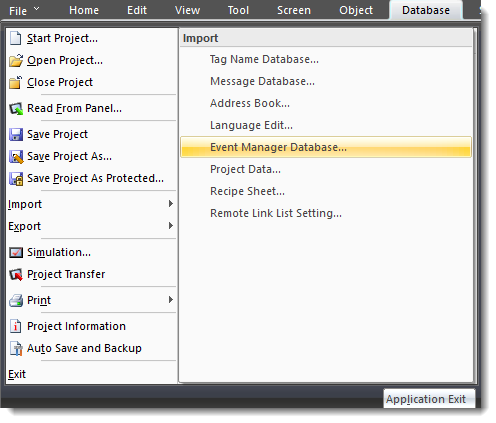
-
The Open window appears.
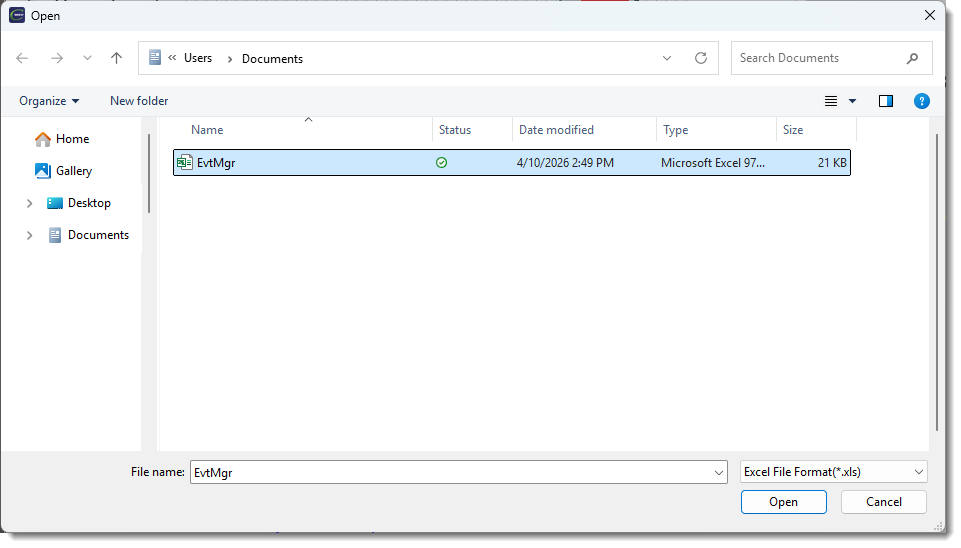
-
Click the import file once to select it.
-
Click Open.
-
The Import Event Manager Database window opens.
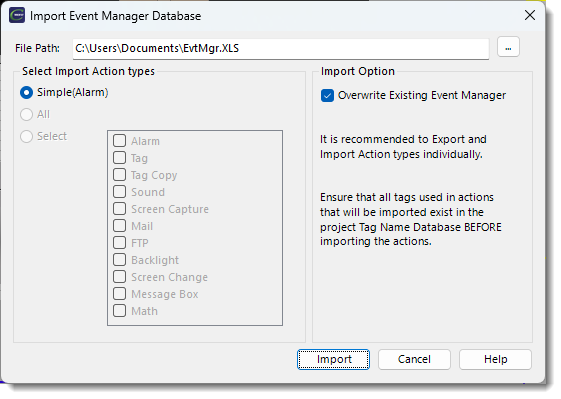
-
Complete the fields using the information below:
File Path
The path of the selected import file.
Select Import Action
Three options are available:
Simple (Alarm)
Imports only data formatted by the Simple (Alarm) Action Export. Use this option only for the Alarm Action.
All
Imports all Event Manager Actions contained in the spreadsheet file formatted as generated by the Export All or Export Select options. Select each action and import them individually.
Select
To limit the actions imported, choose Select, then select each action. This imports Event Manager Actions contained in the spreadsheet file formatted as generated by the Export All or Export Select options.
| Note: | If you select an action not contained in the file, the import returns this error: "Error GUI-185: import file is already opened or corrupted. Check the file and import again." This error persists until you close and reopen the import window. |
Overwrite Existing Event Manager
Importing overwrites existing Event Manager Database data of the same name.
-
Click Import.
-
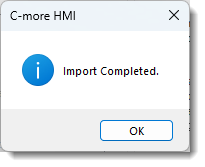
The Import Completed window opens.
 Related Topics
CM504