Event — Screen Change
Perform action(s) when a set screen opens or closes.
Add Event
-
From the Database tab in the top Ribbon, select Event Manager Database.
-
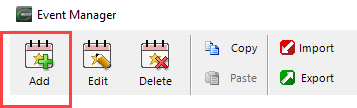
In the Event Manager window, click Add.
-
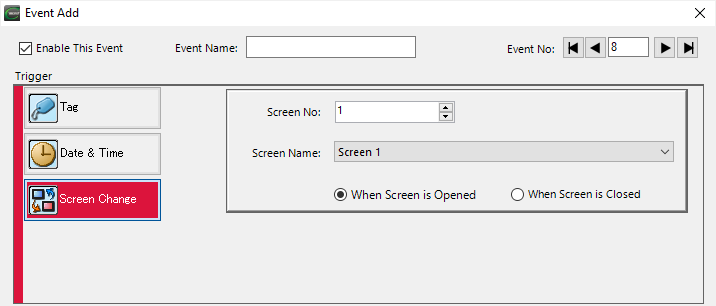
Select Screen Change.
-
Complete the fields on the top half of the screen with the information below.
-
Enable This Event: tick the box to enable the event.
-
Event Name: set an optional name for each event.
-
Event No.: an assigned event number for each specific event; used only as a reference in the database.
-
Complete the bottom half of the screen with this information:
-
Screen No.: select a screen number. The event triggers when that screen is active.
-
Screen Name: select a screen name. The event triggers when that screen is active.
-
When Screen is Opened: the event triggers when the screen opens.
-
When Screen is Closed: the event triggers when the screen closes.
-
To add a specific action, click the action type.
For more information about actions, see Manage Event Actions or specific actions below:
CM138