Password
Configure an object or screen so only authorized users and groups have access.
Tick the box beside Enable Password to add password requirements.
To assign Passwords for one or more Groups, tick the box beside each Group you want to include as authorized users.
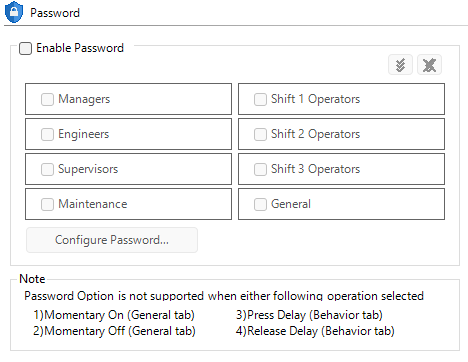
Object Password
When an operator selects an object, require a password before any action.
| Note: | Note: Some Object options do not support the Password Option. These limitations are identified on the object Password Tab. |
Screen
When an operator changes to a protected screen, require a password before a screen change.
This applies to:
CM315