Increment/Decrement Value
-
Signed Int 16/32
-
Unsigned Int 16/32
-
BCD Int 16/32
-
Octal 16/32
-
Hex 16/32
-
Floating Point 32
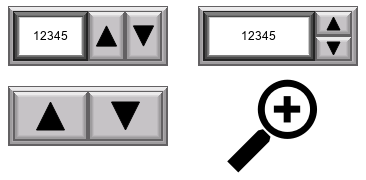
Increase or decrease a tag value with a button press.
General Settings
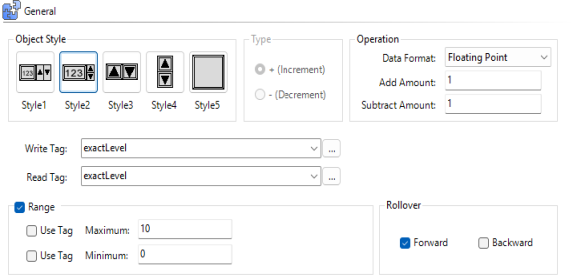
Object Styles
Available styles include numeric display and different button arrangements.
The selected style determines the available configuration settings.
-
Write Tag: sets the write data tag
-
Read Tag: sets the read data tag
Separate Read and Write tags act as send confirmation for a written value. The write tag does not increment until the read and write tags match, which prevents large jumps in the value written to the PLC.
| Note: | Use the same tag for the Read Tag and Write Tag to Auto Increment /Decrement. You can continuously increase or decrease the tag value when you press and hold either of the object arrow keys. |
Type
Only available for Style 5: Single Button. Select whether the single button increments or decrements.
Operation
Data Format: choose the read and write data format.
| Note: | Verify that the read and write data format matches your tag data type. |
Add/Subtract Amount
Each time the write value increments, it adds (or subtracts) this number. If the target PLC stores data as Hex or Octal, C-more can add amounts in Hex, Octal, BCD, Decimal, Floating Point, or Signed/Unsigned Integers.
Range
The Range setting only applies to entry objects to determine the upper and lower value limits. You can configure Maximum and Minimum independently.

Use Tag
After you send a project to the panel, Use Tag sets the range dynamically from a PLC tag or another object.
Static
Sets fixed values in the project. To change these values, transfer a new project to the panel.
Rollover
When the value reaches the maximum or minimum, the object automatically rolls over to the opposite limit.
Forward: Maximum to minimum range rollover
Backward: Minimum to maximum range rollover
Appearance
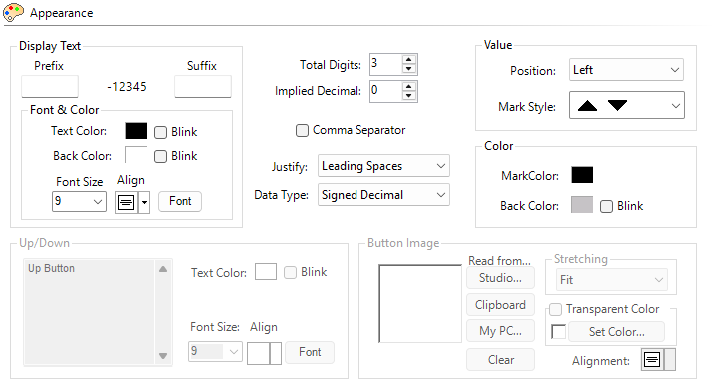
Display Text
Prefix/Suffix
Enter text to display before or after the numeric value.

Number of Digits
-
Total: truncates the most significant digit if you enter a number larger than configured
-
Implied Decimal: determines the position of an implied decimal place (only visible when you use an integer tag)
-
Precision: determines the decimal placement for Floating Point values (only visible when you use a floating point tag)
Value
Position: sets the location of the numeric display relative to the buttons: left, middle, or right. Available for styles 1 and 2 only.
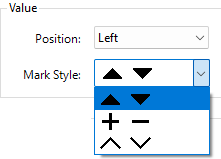
Mark Style: select the marker style for the buttons.
Color
Select Marker and Button colors.
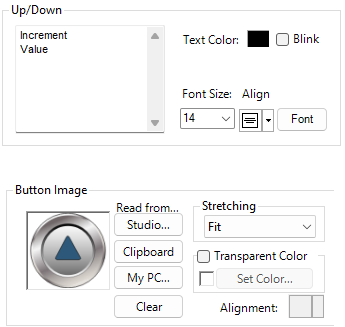
If you select Object Style 5, you can configure custom text and images for the increment/decrement button.
Behavior
For information, see Behavior.
Password
For more information, see Password.
 Related Topics
CM223