Key Button
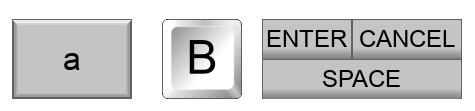
Enters keyboard characters and controls in Entry objects. Characters include standard keys and controls such as Enter, Space, and Caps Lock. Use the default character label or assign a custom graphic to the button.
Use Key Button to build your own keypads. See User-Defined Keypad.
General Settings
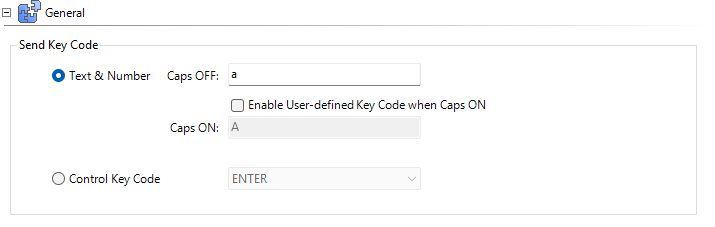
Send Key Code
Determines the message to send when this Key Button is pressed.
Text & Number
Enter an alphanumeric value to represents this Key Button. You can enter one value to always represent the button.
Enable User-defined Key Code when Caps ON: allows two values: one for Caps OFF and one for Caps ON. The Key Button Control Key Code: CAPS LOCK below controls Caps OFF and Caps ON.
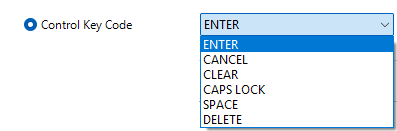
Control Key Code
Other than simple alphanumeric characters, you can use the Key Button for Control Functions in a Keypad.
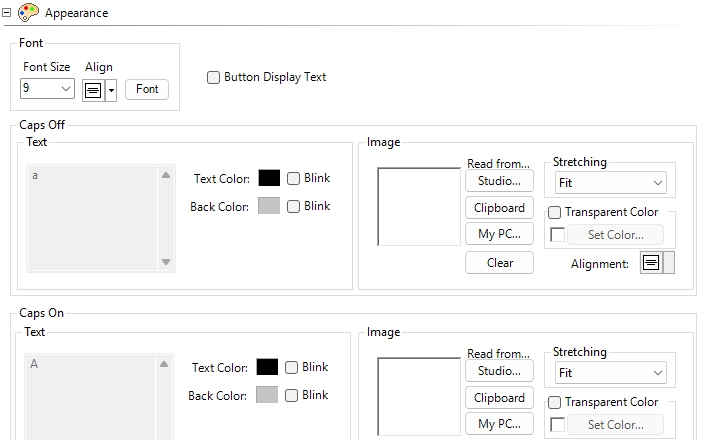
Appearance
The Caps OFF and ON text is automatically added.
Button Display Text
Tick this box to allow edits to both OFF and ON text.
You can also add images to the Caps OFF/ON object.
Behavior
For information, see Behavior.
 Related Topics
CM230