Import Control/CompactLogix Predefined Data Types
The Allen-Bradley ControlLogix and CompactLogix PLCs include predefined data types in RSLogix 5000. Each predefined data type can contain multiple members.
You do not need all predefined data types and members in every project. Use the method below to control which data types and members the software imports.
Modify Predefined Data Types
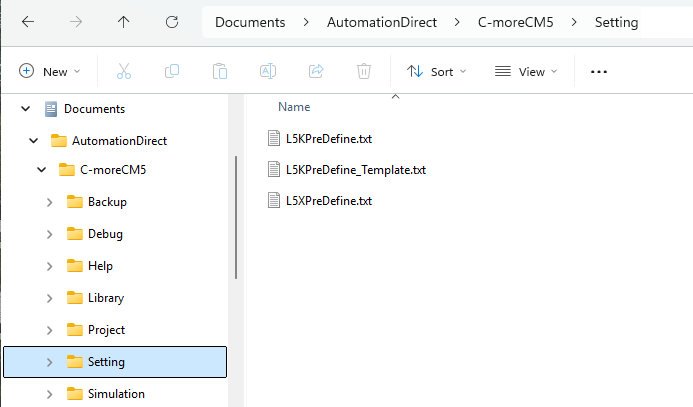
Use the RSLogix 5000 L5K or L5X file associated with the PLC project to download tags. Modify the L5KPreDefined.txt or L5XPreDefined.txt file to control data types. The file is located inDocuments\AutomationDirect\C-moreCM5\Setting.
The L5XPreDefined.txt file looks like the image below.
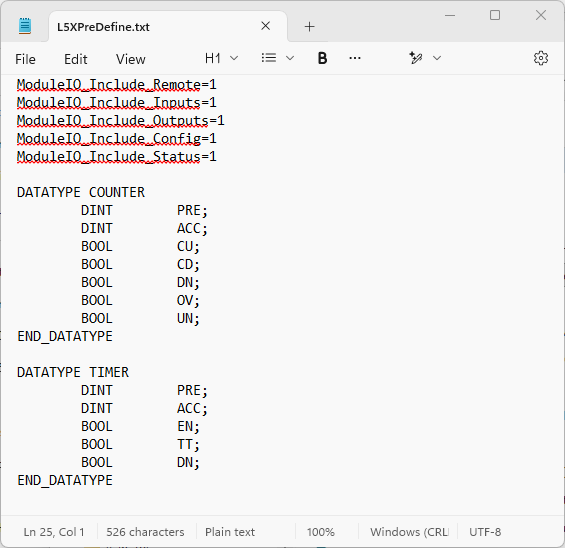
With the newer L5X file format, C-more automatically imports I/O module tags or you can customize a configuration file.
The required format is:
-
Data Type name;
-
Memory type (IE BOOL, DINT, etc…) member name (as shown in RS Logix);
-
closing bracket "}";
The semicolon is required after each data type member name.
Import Fewer Module Tags
All I/O Module tags import automatically and can create unnecessary tags. To disable automatic import for a group of module tags, change the value from 1 to 0.
The available options are:
-
ModuleIO_Include_Local=1
-
ModuleIO_Include_Remote=1
-
ModuleIO_Include_Inputs=1
-
ModuleIO_Include_Outputs=1
-
ModuleIO_Include_Config=1
-
ModuleIO_Include_Status=1
 Example 1:
ModuleIO_Include_Local, Include modules installed in the CPU base. I/O/C/S Module Structures will be Imported.
-
Example Tag: Local:3:I.Ch0Data (Local modules are always named "Local").
Example 2:
ModuleIO_Include_Remote, Include modules installed in the Remote bases. I/O/C/S Module Structures will be Imported.
-
Example Tag: ENET_REMOTE:I.Slot[0].Data (Remote modules are Named in PLC Project Device Tree).
Example 3:
ModuleIO_Include_Inputs, Module Input Data for all bases. Module Structures which include ":I."
-
Example Tag: Local:3:I.Ch0Data
Example 4:
ModuleIO_Include_Outputs, Module Output Data for all bases. Module Structures which include ":O."
-
Example Tag: Local:6:O.Data
Example 5:
ModuleIO_Include_Config, Module Configuration Members for all bases. Module Structures which include ":C."
-
Example Tag: Local:6:C.FaultMode
Example 6:
ModuleIO_Include_Status, Module Status Members for all bases. Module Structures which include ":S."
-
Example Tag: Local:6:S.Status
Import More Data Types
The software automatically imports TIMER and COUNTER predefined data types.
To add more predefined data types, type them using the format shown above or open the master template file called: L5KPreDefine_template.txt.
Example:
-
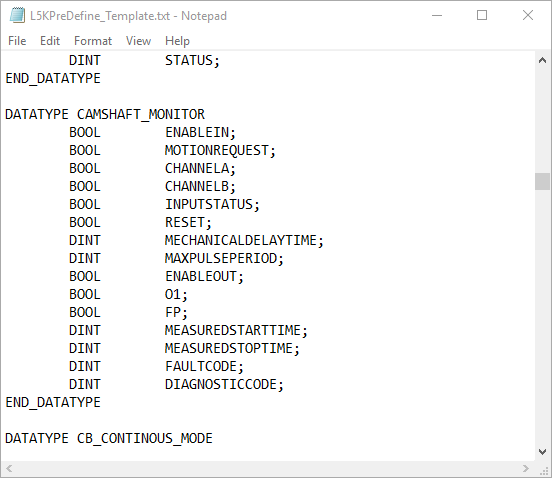
Open the L5KPreDefine_template.txt file (located inside the Documents\AutomationDirect\C-moreCM5\Setting folder).
-
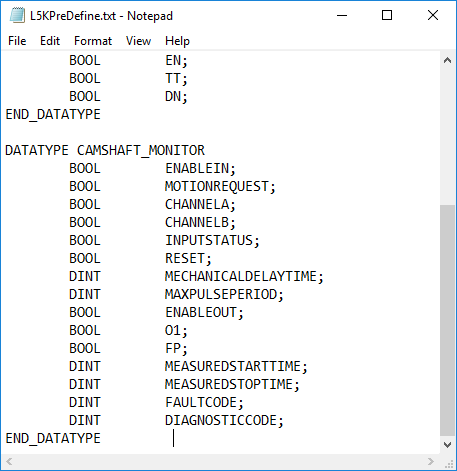
Scroll down to the DATATYPE CAMSHAFT_MONITOR heading.
-
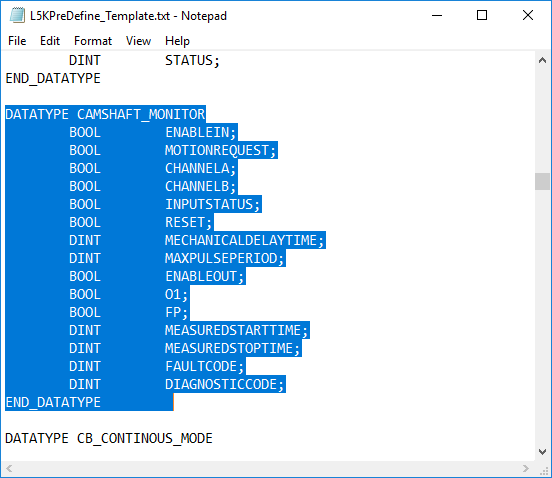
Highlight text from DATATYPE CAMSHAFT_MONITOR down to and including the closing bracket "}" .
-
Right-click and select Edit.
-
Copy the highlighted text.
-
Open the L5KPreDefine.txt file or the L5XPreDefine.txt and scroll to the end.
-
Paste the copied text at the end of the file.
-
Save and close the file and re-start the programming software.
-
All the members of the CAMSHAFT_MONITOR data type import.
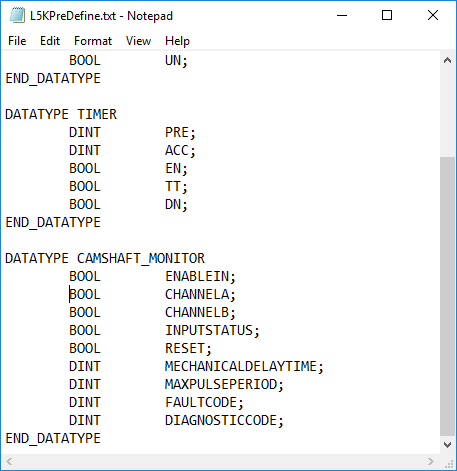
You can also remove data type members the members.
CM133