Export an Address Book Database
-
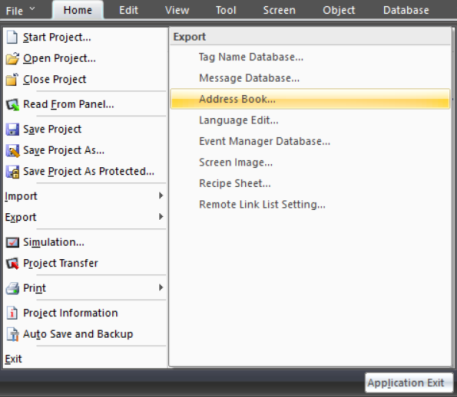
From the File menu, select Export and Address Book.
-
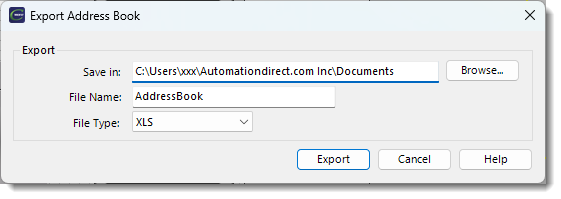
The Export Address Book window opens.
-
In the Save in field, click Browse... and browse to the folder where you want to save the Address Book Database.
-
Select the folder name and click OK.
-
In the Export Address Book window, in the File Name field enter the file name.
-
In the File Type field, click the drop-down arrow and select XLS or .csv (character delimited).
-
Click Export.
 Related Topics
CM035