Numeric Entry/Display
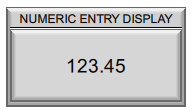
Enters or displays numeric values from a tag. To enter values, use the on-screen keypad or an external HID device connected to the panel, such as a keyboard or barcode scanner.
Supported data types:
-
Signed Int 16/32
-
Unsigned Int 16/32
-
BCD Int 16/32
-
Floating Point 32
General Settings
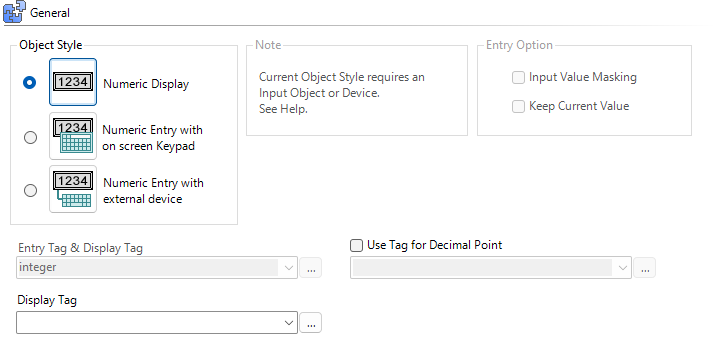
Object Styles
-
Numeric Display: display the numeric tag value.
-
Numeric Entry with on-screen keypad: enter a numeric tag value.
-
Numeric Entry with external device: enter a value into a numeric tag with an external HID device connected to the panel USB port, such as a keyboard, barcode reader, or card scanner.
| Tip: | Entry styles can use one tag for both entry and display, or two separate tags for entry and display. When two separate tags are selected, it is NOT recommended to use the same tag for entry and display as this is redundant. |
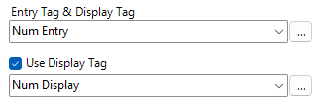
Example: If setting the speed on a VFD Drive, the Entry tag can be the entered speed and the Display tag can be the actual speed. If the user enters 60Hz, when the keypad closes, the display will show the drive frequency as the drive adjusts to 60Hz.
Entry Options
Input Value Masking
By default, when you enter values on the keypad, the values are visible in the object. Use Input Value Masking when you enter sensitive information. Values in this field appear as asterisks.
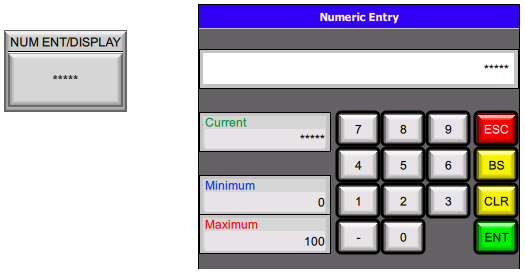
Keep Current Value
By default, the keypad entry field clears when the operator selects the object. Use “Keep Current Value” to display the current value in the entry field instead.
Example: Only a few digits need to change
-
Current value is needed before the operator enters a new one
Keypad
The Keypad setting is available when you select a Numeric Entry style. The default options are System Default and Classic. When you select either option, the panel chooses a keypad from the Keypad Library based on the tag data type.
User-Defined Keypads appear in the list regardless of data type.
Use Tag for Decimal Point
A tag can control the decimal point display:
-
For Integer tags: set the number of implied decimal places
-
For Floating Point tags: set the number of decimal places shown

| Note: | A Decimal Point tag overrides the Display Format setting in the Appearance section. |
Range
| Note: | Range applies to Numeric Entry objects only. |

Data entry limits may be set as static values, or a tag may be set to dynamically control the min/max data entry limits.
Example: If machine parameters can be entered in mm or inches, and the machine supports a maximum stroke of 1000mm. If the user selects “Inches” as their desired unit, the “Maximum tag” value can be updated to 39.39. However, if the user selects “mm” as their desired unit, the “Maximum tag” value can be updated to 1000. This way the maximum value entered can be either 1000 mm or 39.39 inches.
Appearance
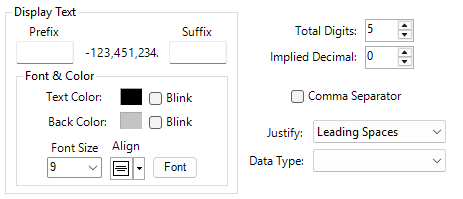
Display Text
Prefix/Suffix
Add static text before or after the numeric value in the display area.

Number of Digits
-
Total: if the display number has more digits than configured, the most significant digit truncates.
-
Implied Decimal: determines implied decimal place; only visible with an integer data type tag.
-
Precision: determines floating point data type decimal placement; only visible with the a Floating Point data type tag.
| Note: | This setting is overridden by the “Use Tag for Decimal Point” setting. |
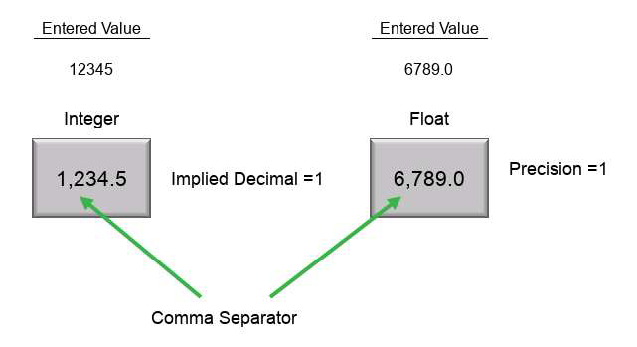
Comma Separator
Places a comma separator between hundreds and thousands.
Example: 15000 or 15,000
Justify
Leading Zeros: display a 0 instead of spaces for the digits before the first non-zero digit
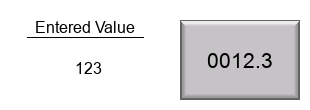
Leading or trailing spaces: displays no unused digits
Data Type
Display Unsigned Int 16/32 data type in Decimal, Octal, or Hex format.
Font & Color
Behavior
For information, see Behavior.
Password
For more information, see Password.
 Related Topics
Numeric Entry/Display
CM277