|
|
Topic: P129 |
Simple Timer (STMR) Instruction |
|
|
|
Topic: P129 |
Simple Timer (STMR) Instruction |
|
Icon / Button =

Time - a duration or event.
|
Parameter |
Parameter Type |
Requirements |
Description |
|
|
Time Up |
Ladder Input |
Must Have |
Level-driven. Based on the selected Delay Setting, the Enable triggers the timing sequence. |
|
|
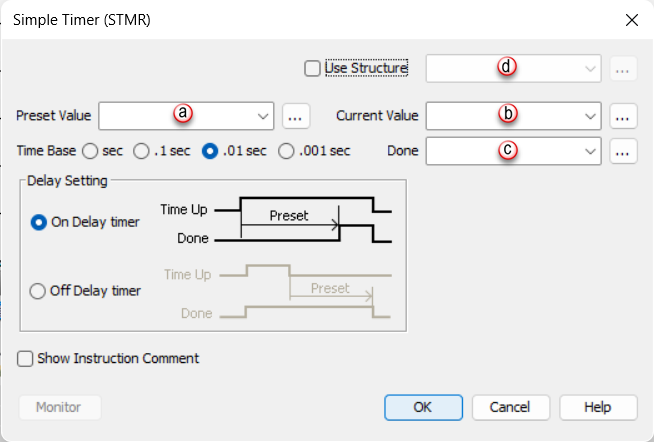
Preset Value |
Numerical Tag / Constant |
Must Have |
Desired Timer value to reach (0.01 seconds Time Base by default). |
|
|
Current Value |
Numerical Tag |
Current Value or Done Tag must be specified |
Current time of the Timer (0.01 seconds Time Base by default). |
|
|
Done |
On Delay |
Boolean Tag |
For On Delay operation, when the Current Value becomes Equal To or Greater Than the Preset Value, this bit will turn ON. |
|
|
Off Delay |
For Off Delay operation, this bit will immediately turn ON once the Enable is turned ON. After the Enable is turned OFF, at this transition point, the Current Value increases, when the Current Value becomes Equal To or Greater Than the Preset Value, this bit is turned OFF. |
|||
|
On Delay Timer |
Radio Button |
Select One |
When the Enable transitions from OFF to ON, the OnDelay Timer’s Current Value increases. Once the Enable is turned OFF, the timer resets to Zero(0). |
|
|
Off Delay Timer |
When the Enable transitions from ON to OFF, the Off Delay Timer’s Current Value increases. Once the Enable is turned ON, the timer resets to Zero(0). |
|||
|
User Structure |
Checkbox |
Optional |
Select if Structures are used. |
|
Note: On a power cycle or Stop/Run transition, the Off Delay Timer's Current Value will be reset to Zero(0).
Note: Tag Values are updated immediately as each Ladder Rung is executed, top to bottom. However, Tag Values representing physical Outputs are only applied to the physical Output after the END statement of the last Task to be scanned is reached. Outputs in Remote Base Groups have additional limitations regarding Update Intervals.
Note: Once the Current Value tag reaches the data type maximum value it will remain at this value until reset.
When Simple Timer Instruction is selected the window shown below opens.
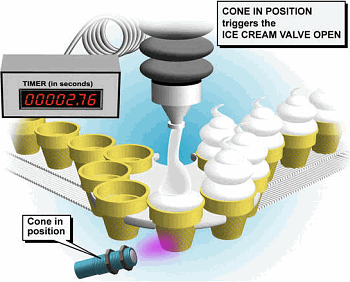
For this example, a conveyor moves ice cream cones into position to be filled. When in position, the ice cream valve is opened and the Timer is started. When the Timer reaches the Preset Value, the ice cream valve closes.