QR
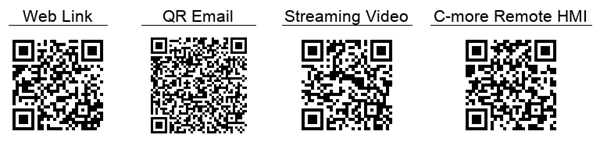
Operators can scan a QR code to access documentation, help files, or any web page connected to the QR. Use static links or dynamic links, which include tag data.
General Settings
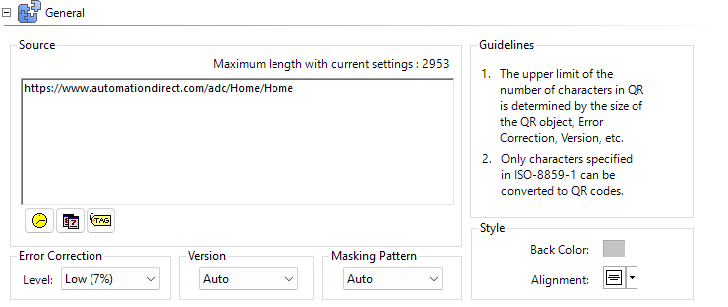
Source
When the operator scans the QR, this text is the link that opens. You can only convert characters specified in ISO-8859-1.
Error Correction
Set to low. Use higher error corrections in print media where a QR code is partially obscured. It is not helpful unless the screen is partially damaged.
Version
Auto is the default and you should not change it. The version determines the QR code matrix dimensions.
The string length determines the version automatically.
Masking Pattern
Auto is the default and you should not change it. Masking reduces patterns that could confuse QR code readers, such as large blocks of the same color or repetitive patterns. It ensures a balanced distribution of dark and light modules, making the QR code more robust against scanning errors. When a QR code generates, each of eight potential masking patterns are compared and the highest quality pattern is automatically set.
Examples:
-
Link to a website where machine operators can find maintenance instructions
-
Link to a YouTube video or a video on a server
-
Link to an IP Camera feed
-
Link to a PDF available on a corporate intranet
-
Create an email using embedded parameters such as:
To: Johndoe@yourmail.com
CC: test@example.com
Subject: [Machine01] Error002_Occured
Body: Check Boiler Temp
Source Example
mailto: Johndoe@yourmail.com?cc=test@example.com&subject=[Machine01]%20Error002_Occured&body=Check%20Boiler%20Temp -
Embed a phone number that dials when an operator scans the code:
facetime-audio:18005551234 -
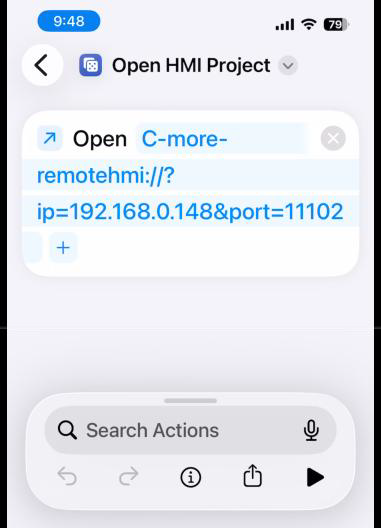
Launch the Remote-HMI App directly to a panel
C-more-remotehmi://?ip=96.87.227.178&port=11102 -
You can also set an iOS shortcut (use the Shortcuts app built into iOS) to your remote HMI App to create a desktop icon on your phone to go straight to the HMI
Behavior
For information, see Behavior.
 Related Topics
QR
CM637