Firmware Frequently Asked Questions (FAQ)
What if my software version is older than my new panel firmware?
Youn can downgrade the firmware in the panel. It's best to upgrade your software to the latest version for the latest bug fixes and security updates.
Your software comes with the latest firmware when you download. You can upgrade the panel to the latest firmware when you download new software.
See Update Firmware.
The latest software and firmware downloads are here: support.automationdirect.com/products/cmore
How do I find my firmware version?
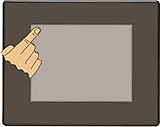
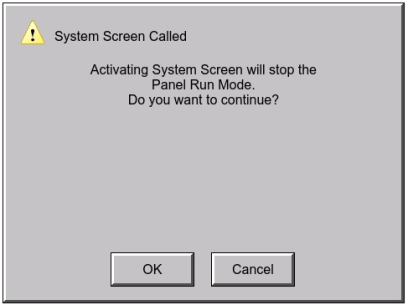
-
Press OK.
-
The Main Menu screen opens.
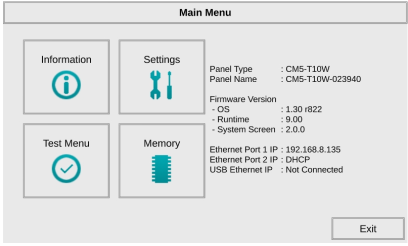
The sample shows firmware version 9.00.
How do I find out what software version I have?
-
On the Ribbon click the Help tab.

-
Select About C-more HMI button.
-
About C-more Programming software window opens.
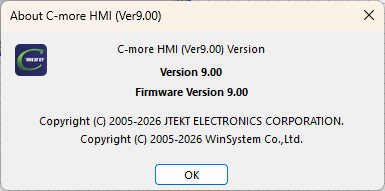
-
The sample shows software version 9.00.
Can I just download the latest firmware files, and not the entire program?
No.
The firmware file is part of the software download and installation.
Firmware FAQ
CM533