System Control Object
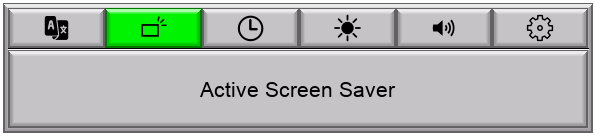
The System Control Object combines one control for multiple system functions:
-
Increment/Decrement Hour
-
Adjust Display Brightness
-
Volume Control
-
Call the System Screen
General
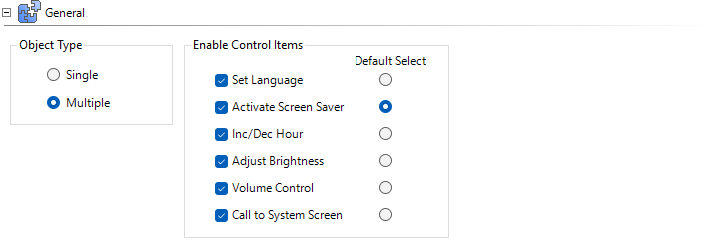
Object Type
You can configure the System Control Object to control a single function or multiple functions in one object.
System Control Items
Set Language — Single
-
Select from any of nine languages in Language.
-
Screen objects display in the language you configured.
-
The object places a button on the screen to changes the language of all objects in the project to the button language.
-
Configure the Language, Style, and Appearance as needed.
Set Language — Multiple
-
Select Object Style Multiple.
-
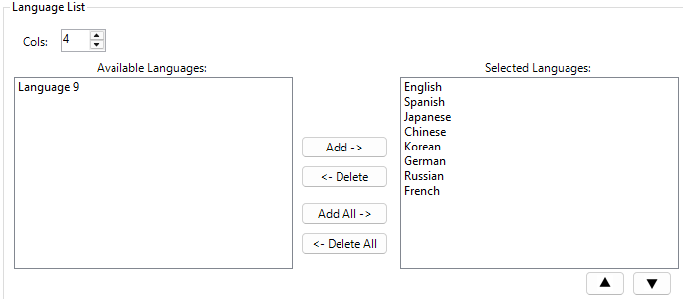
Select from any configured language.
-
The Cols: selection determines the object displayed column number.
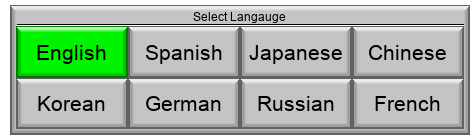
Example: The object is configured for 8 Languages and 4 columns.
-
Use the Add - > arrow, or select Add All.
-
Delete works in the same way.
Activate Screen Saver
-
Press the button to turn off the backlight.
-
Configure the Style and Appearance as needed.
-
The panel backlight comes on again when:
-
You touch the screen
-
You connect Remote Access
-
The Event Manager Alarm Action occurs (only when the Alarm Action Display is active)
-
The PLC initiates a screen change
-
An error (such as a communication error) occurs
-
Increment/Decrement Hour
-
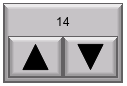
Press this object button to adjust the hour of the internal clock Up or Down.
-
Configure the Style and Appearance as needed.
Adjust Display Brightness
Adjust the panel screen brightness.
-
Use the up arrow to increase brightness, and the down arrow to decrease brightness.
-
Configure the Style and Appearance as needed.
Volume Control
-
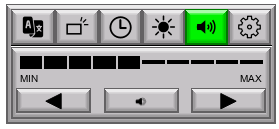
Press a button or the increase or decrease buttons to adjust the panel sound volume.
-
Configure the Style and Appearance as needed.
Call the System Screen
Call the System Screen in the same way as holding the upper left corner of the panel for 3 seconds.
| Note: | With Call the System Screen, the PLC communications and other processes do not continue. |
Configure the Style and Appearance as needed.
Appearance
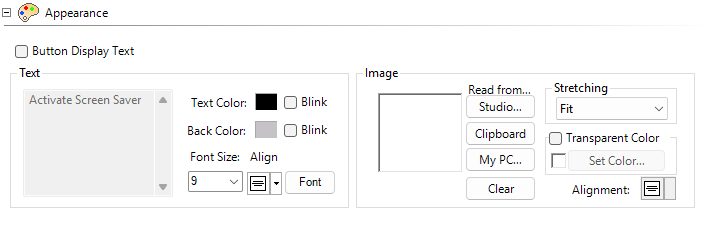
Add text and images to the object.
Button Display Text
The object displays text by default.
Select the box beside Button Display Text to modify the text.
 Related Topics
System Control Object
CM023