Write Project to XEM CPU
| Step | Action |
|---|---|
| 1 |
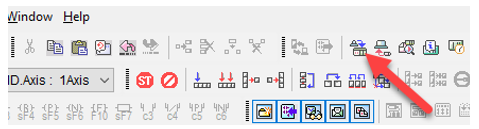
Connect to XEM CPU and Click Write to write the configuration to the PLC’s motion CPU è XBF-PN08B or XBF-PN04B.
|
| 2 |
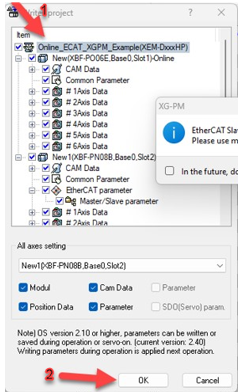
Check the Project Name check box to write everything to the CPU and click OK.
|
| 3 |
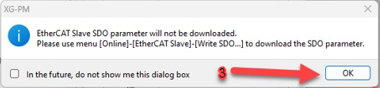
A notification that EtherCAT Slave SDO parameter will not be downloaded should appear. Click OK.
|
| 4 |
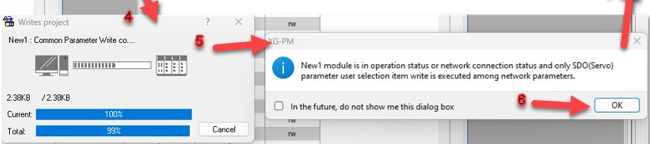
The Writes project window appears and the configuration gets copied to the PLC CPU.
A notification will appear stating that only SDO (Servo) parameter user selection item write is executed. Click OK. |
| 5 |
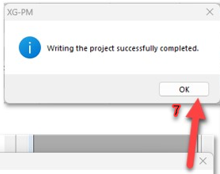
Notification that the project was successfully complete should appear. Click OK.
|
LP602-6