Special Module Testing
Special Modules are all analog, temperature sensing, high speed counter and load cell modules.
The XEL-BSSRT must be in STOP mode to perform any Special Module testing.
| Step | Action |
|---|---|
| 1 | Connect to the XEL-BSSRT with XG5000. |
| 2 |
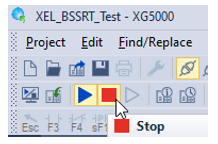
Put the XEL-BSSRT in STOP mode.
|
| 3 |
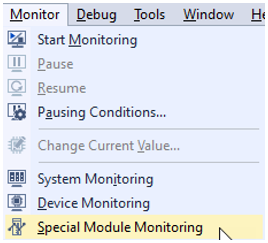
Select Monitor menu è Special Module Monitoring.
|
| 4 |
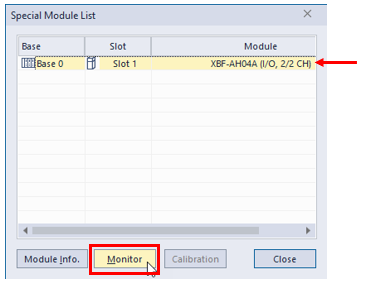
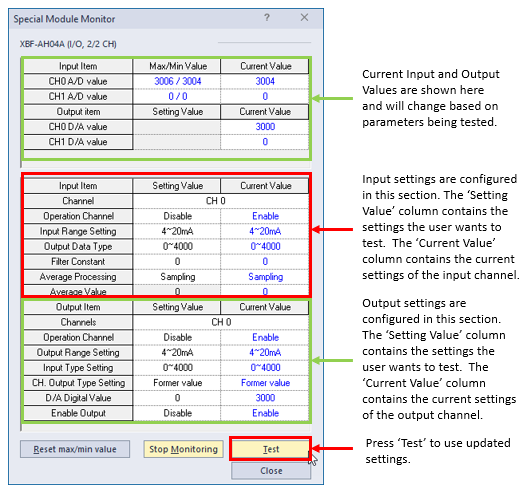
Select the module to monitor and press the Monitor button. This example shows an XBF-AH04A module.
|
| 5 |
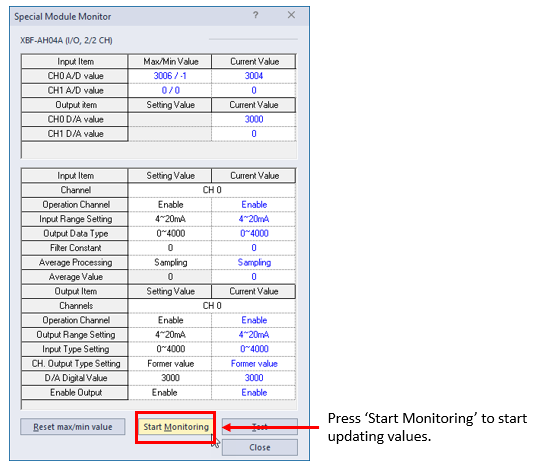
Press the Start Monitoring button to enable status monitoring during testing.
|
| 6 |
Change desired values in the lower portion of the Special Module Monitor screen. Press the Test button to enable the changes made.
|
LP220-3